How to Pay WASA Bill Online in Pakistan
Managing utility bills used to mean waiting in long queues at bank branches under the hot sun. Today, checking, downloading, and paying your water supply bill takes only a few taps on your mobile phone or laptop.
If you want to know How to Pay WASA Bill Online in Pakistan, this guide gives you simple steps to view, print, and pay your bill from home without stress.
What is WASA in Pakistan?
WASA stands for Water and Sanitation Agency. It is the government body responsible for providing clean drinking water, managing drainage, and maintaining sewerage systems across major cities in Pakistan.
WASA
Each main city has its own local WASA branch operating under the urban development authority:
- WASA Lahore (LDA)
- WASA Rawalpindi (RDA)
- WASA Faisalabad (FDA)
- WASA Multan (MDA)
- WASA Gujranwala (GDA)
- WASA Hyderabad (HDA)
- WASA Quetta (QDA)
Every house or commercial property connected to the main water line receives a monthly or quarterly WASA water bill.
Finding Your WASA Consumer Number
Before you can check, download, or pay your water bill online, you need your unique account identifier. WASA bills feature two primary identification numbers located near the top header of any paper copy:
- Consumer Number / Account Number: A 6 to 8 digit unique numerical string assigned to your property.
- Registration Number / Account Code: A dash-separated code (such as 01/02-123456) used in specific web portals like WASA Gujranwala.
Tip: Keep an old paper bill handy to copy down your consumer number. Save this number in your phone notes or banking app favorites list for instant future access.
City-Wise Official Portals to Check WASA Bill Online
Each city uses a dedicated official portal to provide online bill services. Here is where you can view your latest WASA bill online:
City | Agency Name | Official Online Web Portal | Search Identifier Used |
Lahore | WASA Lahore | Account Number / Consumer ID | |
Faisalabad | WASA Faisalabad | wasafaisalabad.gop.pk | Consumer Number |
Multan | WASA Multan | wasamultan.gop.pk | Account Number |
Gujranwala | WASA Gujranwala | onlinebill.wasagujranwala.gop.pk | Registration No or Account No |
Rawalpindi | WASA Rawalpindi | wasarawalpindi.gop.pk | Consumer Number |
How to Check and Print WASA Bill in Pakistan
If your physical bill is lost or damaged, you do not need to visit a physical office to request a replacement. You can view, download, and print a duplicate water bill within minutes.
Quick Steps for Duplicate Bill Download
- Open your web browser and go to the official website of your city WASA agency.
- Click on the Duplicate Bill or Online Bill Services section on the main menu.
- Enter your Consumer Number or Account Number into the box.
Wasa online bill - Press the Submit or Search button.
- Your digital water bill will open on the screen showing your due date, total charges, and payment status.
- Click Print Water Bill Online or press Ctrl + P to send it directly to your printer, or choose Save as PDF for a Download WASA Bill PDF copy.
Methods for WASA Bill Payment Online
You can settle your WASA bill online instantly through mobile wallets, internet banking, or government payment portals.
Method 1: Pay via ePay Punjab App (For Punjab Cities)
The ePay Punjab mobile application is a centralized government portal that allows citizens in Lahore, Rawalpindi, Faisalabad, Multan, and Gujranwala to clear utility bills smoothly.
- Download and install the ePay Punjab app from Google Play Store or Apple App Store.
- Register an account using your mobile number and CNIC.
- Select WASA from the list of utility services.
- Pick your city WASA branch.
- Input your Consumer Number. The app will fetch your bill details automatically.
Wasa online bill - Generate a 17-digit PSID (Payment System Identifier) number.
- Open your mobile bank account, choose Bill Payment > 1Bill / 1LINK, enter the PSID, and confirm your transaction.
Method 2: Pay via Mobile Wallets (EasyPaisa / JazzCash)
Mobile wallets like EasyPaisa and JazzCash offer simple bill payment options:
JazzCash
- Log into your JazzCash or EasyPaisa app.
- Select Utility Bills from the main dashboard.
- Tap on Water as the category.
- Choose your specific service provider (such as WASA Lahore or WASA Multan).
- Type in your Consumer Number.
- Check the bill amount shown on screen.
- Enter your secret 4-digit PIN to finalize payment.
JazzCash - Save the digital receipt picture or transaction ID as proof.
Method 3: Pay via Mobile Banking Apps
All major commercial banks in Pakistan (HBL, Meezan Bank, UBL, Bank Alfalah, Allied Bank, MCB) support digital water bill clearing:
- Sign in to your bank mobile application.
- Navigate to Bill Payments and click Add New Biller.
- Select Utility / Water Supply Bill.
- Choose your local WASA authority and type your Consumer Number.
Wasa online bill - Verify customer details and confirm payment via OTP authentication.
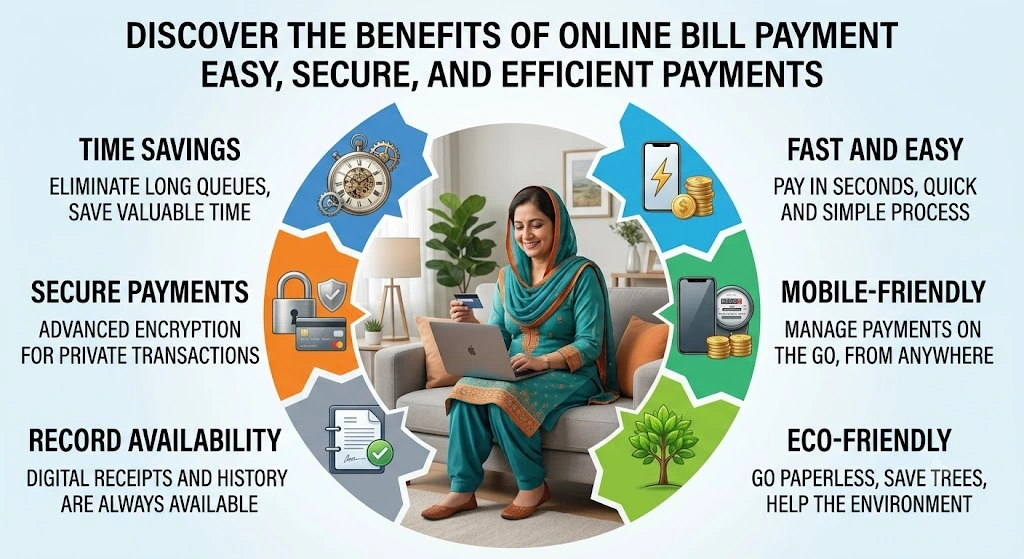
Benefits of Using Online Bill Services
Switching from cash payments to online WASA bill payment brings clear advantages:
- Zero Standing in Lines: Complete transactions from home, office, or while traveling.
- 24/7 Availability: Online systems remain operational at night, on weekends, and during public holidays.
- Instant Digital Confirmation: Banking apps send immediate SMS notifications and e-receipts upon payment completion.
JazzCash - Avoid Late Fees: Paying on time helps you avoid surcharge fees for overdue balances.
- Paperless Archiving: Storing a downloaded WASA bill PDF on your device helps maintain neat digital records without physical clutter.
Common Issues and Quick Fixes
- Incorrect Consumer Number: Double-check every digit if the portal returns a “Record Not Found” error. Ensure you enter zeros without spaces or unnecessary symbols.
- Payment Not Updated Immediately: Digital payment systems usually update status within 24 to 48 working hours. Keep your SMS receipt safe until the portal updates.
- Website Down During Peak Dates: Government servers experience heavy traffic on due dates. Fetch your duplicate water bill early in the month to prevent access delays.
Faqs
Can I get a WASA duplicate bill if my original copy is lost?
Yes. You can get a duplicate WASA bill anytime by visiting your city WASA portal, typing in your account or consumer number, and clicking download.
Wasa online bill
What is the difference between Account Number and Consumer Number?
Both terms are often used interchangeably on WASA bills to identify your household connection. Certain portals like WASA Gujranwala accept registration codes alongside account numbers.
Are there extra service fees for paying WASA bills online?
Most mobile bank applications and official government platforms process utility payments without extra charges, though standard wallet transaction limits apply.
How do I confirm my payment was received?
After completing an online transaction through ePay Punjab, EasyPaisa, or your bank app, save the digital transaction receipt. You can re-check your status on the official portal after 24 to 48 hours to confirm your balance reads zero.