WASA Bill Online Lahore
Checking your WASA bill online Lahore is a quick way to view your latest water and sewerage charges. You only need the account number printed on an old WASA bill. The online system can help when your paper bill is late, damaged or lost. You can view the current bill, check the due date, see unpaid charges and save a duplicate bill as a PDF.
WASA Lahore’s official duplicate billing portal asks for the customer’s bill account number. The Punjab Information Technology Board states that the online system uses an assigned eight-digit account number.
WASA Bill Online Lahore
Check Your WASA Lahore Bill
Enter your 8-digit account number below to check your latest bill.
Input label: Enter WASA Account Number
Button text: Check WASA Bill Online
Helper text: The account number is printed on your previous WASA Lahore bill.
The official billing portal lets customers view a bill by entering the bill account number.
Quick Answer
To complete a WASA bill online Lahore check, open the official duplicate bill portal and enter your eight-digit account number. Select the search button to view your current water bill. You can then print it or save it as a PDF from your browser.
What Is WASA Lahore?
WASA stands for Water and Sanitation Agency. It manages important water, sewerage and drainage services in Lahore.
The agency issues bills for the services connected to a customer’s property. These may include water supply charges, sewerage charges, unpaid dues and other approved fees.
WASA Lahore has different tariff categories for domestic, commercial, industrial and charitable connections. A home used only for household needs normally falls under the domestic category. Shops, offices, clinics, laundries, cafes and other business locations may fall under the commercial category.
How to Check WASA Bill Online Lahore
The online process is simple. You do not need to create an account or visit a WASA office just to view a duplicate bill.
Follow these steps:
- Open the official WASA Lahore duplicate bill portal.
- Find the box asking for your bill account number.
- Enter the eight-digit number without adding extra spaces.
- Check the number again before searching.
- Select the search button.
- Your latest available bill should appear on the screen.
- Check the name, address, billing month, due date and amount.
- Print the bill or save it as a PDF.
PITB developed the online duplicate billing system so customers could retrieve their bills without visiting a zonal office. The billing records are uploaded to the system by WASA offices.
Where Can You Find the WASA Account Number?
Your account number is printed on an old WASA Lahore bill. It is linked to the water and sewerage connection for the property.
Look near the top part of the bill for wording such as:
- Account Number
- Account No.
- Consumer Account
- Bill Account Number
The official duplicate bill system describes the required field as the Account No. It should not be confused with your CNIC number, mobile number, meter number or property number.
A landlord, tenant, shop owner or family member may also have an older paid bill containing this number.
Your account number is printed on an old WASA Lahore bill. It is linked to the water and sewerage connection for the property.
Look near the top part of the bill for wording such as:
- Account Number
- Account No.
- Consumer Account
- Bill Account Number
The official duplicate bill system describes the required field as the Account No. It should not be confused with your CNIC number, mobile number, meter number or property number.
A landlord, tenant, shop owner or family member may also have an older paid bill containing this number.
WASA Bill by Reference Number
A bill reference number may appear during online payment. However, the official duplicate bill lookup page asks for the WASA account number.
For a WASA bill by reference number, first check what the payment application is requesting. It may ask for a 1-Link invoice number, bill reference or consumer account.
Copy the number exactly as it appears on the bill. Before paying, confirm that the customer name, billing month and amount shown in the app match your bill.
Never guess a missing number. A wrong number could display another account or cause a payment problem.
How to Download WASA Duplicate Bill
A duplicate bill is an online copy of the billing record. It is useful when the original paper bill has not arrived or has been misplaced.
To complete a WASA duplicate bill download, open the bill and use your browser’s print feature.
On a Computer
Press Ctrl + P on a Windows computer or Command + P on a Mac. Select Save as PDF as the printer option. Choose a folder and save the file.
On an Android Phone
Open the browser menu and select Share, Print or Save as PDF. The wording may be different on each phone.
On an iPhone
Open the share menu, select Print and open the print preview. You can then save or share the document as a PDF.
Give the file a clear name, such as:
WASA-Lahore-Bill-July-2026.pdf
This makes the bill easier to find later.
Can You Print the Downloaded WASA Bill?
Yes. After completing the download water bill PDF process, open the file and select the print option.
Before printing, check that these details are visible:
Bill detail | What to check |
Account number | It matches your old bill |
Consumer name | The property record is correct |
Service address | It is the right home or business |
Billing month | It is the latest available month |
Due date | Payment is still within time |
Payable amount | The figure is clear |
Amount after due date | Late charges are visible |
Arrears | Any previous unpaid amount is shown |
A clear A4 print is usually easier to read. Do not crop the account number, payment details or due date.
How to Read Your WASA Lahore Bill
A water utility bill contains more than one amount. Understanding each part can help you find errors before payment.
Account Number
This number identifies the water and sewerage connection. You will use it for future online water bill inquiries.
Billing Month
The billing month shows the period covered by the current bill. Always check it before making payment.
Issue Date
This is the date on which the bill was prepared or issued.
Due Date
The due date is the final date for paying the normal payable amount. A higher amount may apply after this date.
Current Water Charges
These are charges added for the current billing period. They may depend on the connection type, approved tariff, property category and billing method.
Sewerage Charges
A WASA consumer bill may include charges related to sewerage services. Water and sewerage charges can appear together on the same monthly bill.
Arrears or Outstanding Bill
Arrears are older unpaid charges carried into the latest bill. If you already paid them, compare your receipt with the current record.
Surcharge
A surcharge may be added when a bill is paid after its due date or when previous dues remain unpaid.
Amount Payable
This is the amount due before the payment deadline.
Amount After Due Date
This is the amount that may be charged after the due date. Check the printed bill instead of guessing the late fee.
How to Verify a WASA Lahore Bill
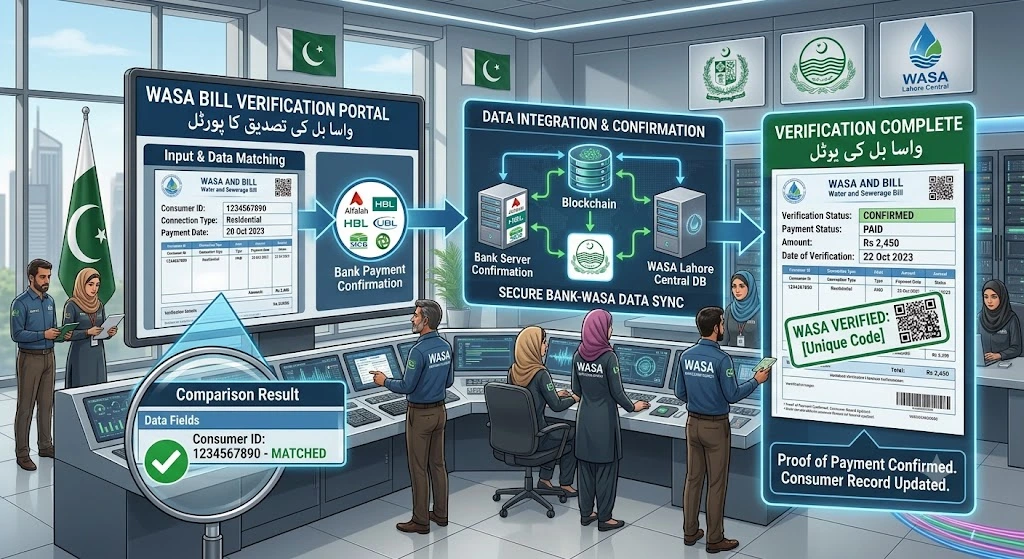
A WASA bill verification helps make sure you are viewing and paying the correct account.
Check the following details before payment:
- Compare the account number with an old bill.
- Check the property address.
- Review the consumer name.
- Confirm the billing month.
- Compare current charges with recent bills.
- Look for unpaid arrears.
- Check the due date.
- Confirm the amount inside the payment app.
Do not pay when the account name or address is clearly different. Search again using the correct account number.
The official portal only asks for the bill account number to display the record. Be careful with unrelated websites asking for your password, card PIN or unnecessary personal information.
How to Pay WASA Bill Online Lahore
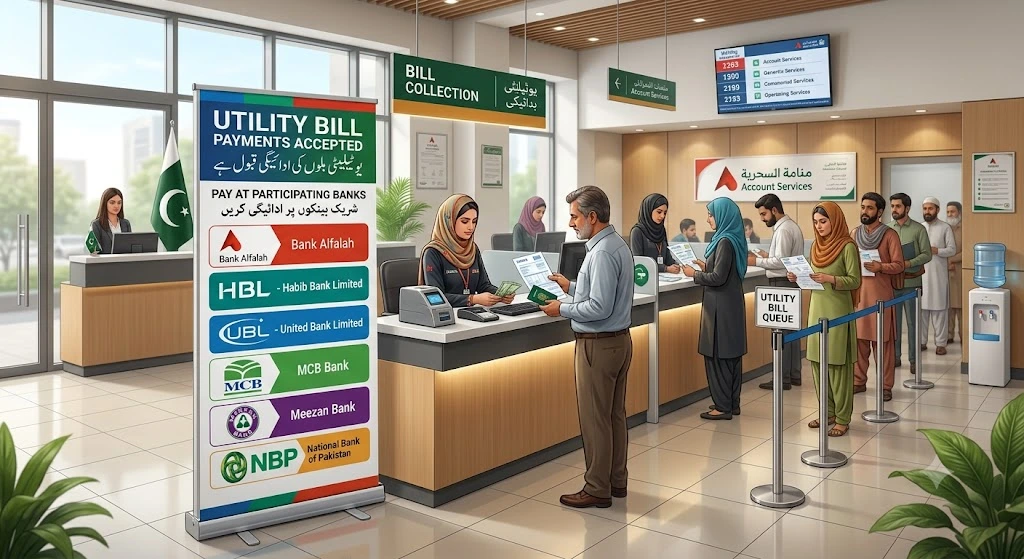
Customers can use several approved payment channels. The official WASA Lahore website lists banking applications, QR code payments, One Link, NADRA kiosks, the General Post Office and selected bank counters.
A common online payment process is:
- Open your bank or supported payment application.
- Choose Bill Payments or Utility Bills.
- Select the water or WASA category.
- Choose WASA Lahore when available.
- Enter the requested bill number.
- Wait for the customer details to appear.
- Match the name and amount with your bill.
- Confirm the payment.
- Save the digital receipt.
The exact menu can be different in each app. Some apps may use a 1-Link bill payment option instead of listing WASA Lahore separately.
WASA Lahore confirms that its bills can be paid through the 1-Link bill payment system.
WASA Lahore Bill Payment Methods
The following table explains the main payment choices listed by WASA Lahore.
Payment method | How it works |
Banking application | Pay through the utility bill section of a supported bank app |
One Link | Use the bill payment or invoice option provided by the bank |
QR code | Scan the official code printed on the bill when supported |
Bank counter | Take the printed bill and pay at an approved bank branch |
NADRA kiosk | Provide the required bill information at the kiosk |
General Post Office | Pay the bill at a supported post office counter |
The official payment information also names banks such as Allied Bank, National Bank of Pakistan, Bank of Punjab, Bank Alfalah and Bank Al Habib. Availability can differ by branch or application.
Important Payment Safety Tips
Always check the customer name and bill amount before confirming a payment.
Do not hand bill money to a person claiming to be a WASA employee. WASA Lahore warns that its staff members are not allowed to collect bill payments from consumers.
Use an official bank, payment app, kiosk, post office or approved payment channel. Keep the receipt until the payment appears on a later bill.
Your receipt should show:
- Payment date
- Paid amount
- Bill or account reference
- Transaction number
- Payment channel
- Successful payment message
Do not share your banking PIN, app password, card PIN or one-time code with anyone.
What to Do After Paying the Bill
Save the receipt as an image or PDF. You may need it if the payment is not added to the WASA record correctly.
When the next bill is issued, check whether the previous balance has been cleared. If an already paid amount appears again, gather the bill and payment receipt.
WASA Lahore lists confirmation of payment, wrong payment adjustment and bill correction among the matters handled through its revenue offices. These complaints may require a written request, CNIC copy and supporting documents.
Why Is My Latest WASA Bill Not Showing?
A latest WASA bill may not appear for several reasons.
The Account Number Is Wrong
Even one incorrect digit can stop the search. Compare the number with an older bill.
The New Bill Has Not Been Uploaded
The latest billing record may still be under preparation. PITB explains that zonal offices upload their bill data to the online system each month.
The Portal Is Temporarily Unavailable
Government portals may sometimes face maintenance, heavy traffic or connection issues. Try again later using a stable internet connection.
The Browser Has a Problem
Refresh the page, clear the browser cache or use another browser. You can also try a computer if the page does not open correctly on your phone.
The Connection Record Has Changed
A changed account, corrected property record or billing update may affect the search. Contact the relevant WASA revenue office when an old account number no longer works.
What If the WASA Bill Amount Is Wrong?
First, compare the bill with your recent billing history.
Check for:
- An unpaid previous balance
- A late payment surcharge
- A wrong meter reading
- Duplicate billing
- A category change
- A wrong payment adjustment
- Added meter or service charges
Do not remove or change any figure yourself. Take the latest bill, previous bills, payment receipts, CNIC copy and any useful property document to the relevant revenue office.
WASA Lahore states that complaints involving wrong debit, wrong payment, bill correction, duplicate billing, excess reading, wrong reading and tariff changes require documentation.
How Does WASA Calculate Charges If a Meter Is Faulty?
According to WASA Lahore’s official FAQ, dues for a faulty meter are assessed using the customer’s average consumption from the previous six months.
A customer who believes the meter is faulty should contact the concerned revenue office. The official process may require a written request and meter testing charges.
Do not break the meter seal or replace the meter without permission.
WASA Bill Calculator
A water bill calculator cannot provide an exact WASA Lahore bill unless it uses the current official tariff, account category, meter data, arrears and other approved charges.
You can understand the displayed total with this simple formula:
Estimated payable amount = Current charges + Previous arrears + Other charges + Applicable surcharge
This is only a basic explanation. It is not an official WASA bill calculation.
The final amount should always be taken from the latest official bill. Tariffs may differ for domestic, commercial, industrial and charitable connections.
Can Tenants Check the WASA Bill?
Yes, a tenant can check the water bill when the property’s correct account number is available.
The account is connected to the property, not the tenant’s personal phone. Ask the landlord for an old bill if the account number is missing.
Before renting a property, check whether old water and sewerage charges are unpaid. WASA Lahore advises tenants and property buyers to make sure utility bills and arrears are up to date.
Can You Check a WASA Bill Without an Account Number?
The official online duplicate bill page requires an account number. It does not offer a public search by customer name, CNIC, phone number or home address.
When the account number is missing, try these options:
- Find an old paper bill.
- Check saved bill photos or PDF files.
- Ask the property owner.
- Review an older bank payment receipt.
- Contact the relevant WASA office.
- Call the official complaint center.
Avoid entering personal data into unknown websites that promise to find bills by CNIC or phone number.
Yes, a tenant can check the water bill when the property’s correct account number is available.
The account is connected to the property, not the tenant’s personal phone. Ask the landlord for an old bill if the account number is missing.
Before renting a property, check whether old water and sewerage charges are unpaid. WASA Lahore advises tenants and property buyers to make sure utility bills and arrears are up to date.
WASA E-Bill Registration
The official Lahore billing pages provide online duplicate bill checking and several payment methods. However, during our review on July 14, 2026, we did not find a clear public page for WASA e-bill registration by email or SMS.
Customers can still use the online billing portal each month and save the bill as a PDF. The official site should be checked for any future e-bill service updates.
Do not pay a third-party website simply to register for a basic bill lookup service.
How to Keep Your Billing Record Safe
Create one folder on your phone or computer for water utility bills. Save each PDF and payment receipt with the billing month in its file name.
For example:
- WASA-Lahore-Bill-June-2026.pdf
- WASA-Lahore-Receipt-June-2026.jpg
- WASA-Lahore-Bill-July-2026.pdf
This small habit makes it easier to check billing history, prove payment and find unexpected charges.
Keep at least the latest paid receipt and several older bills. Property owners may need them for record corrections, tenant matters or a change of consumer name.
Simple Example
Ali did not receive his paper bill this month. He opened an old WASA Lahore bill and found the eight-digit account number.
He entered the number into the online billing portal. The latest bill appeared with the correct address and billing month. He checked the due date, saved the bill as a PDF and paid it through his banking application.
After payment, he saved the receipt in the same folder as the bill. When the next bill arrived, he checked that the old amount was no longer shown as unpaid.
This example shows why both the bill and receipt should be saved.
WASA Lahore Complaint Numbers
For a billing problem, water supply complaint, sewerage issue or account question, use the official contact information.
Service | Contact details |
Central Complaint Center | 1334 |
Complaint Monitoring Cell | (042) 99332100-01 |
WASA Head Office | (042) 99268439 |
Director Revenue | (042) 99205567 |
Head office address | 2 Zahoor Elahi Road, Gulberg II, Lahore |
WASA Lahore states that its complaint centers can be contacted 24 hours a day through 1334 and the head office number.
Contact details can change. Confirm them on the official WASA Lahore website before sending documents or visiting an office.
Faqs
Open the official WASA Lahore duplicate billing portal. Enter the eight-digit account number from an old bill and select search.
The official portal asks for the bill account number. PITB describes it as an eight-digit account number.
The official public duplicate bill page does not show a CNIC search option. It asks for the account number.
The official Lahore bill lookup page does not list a mobile number search. Use the account number printed on a previous bill.
Open the bill, select the browser’s print option, and choose Save as PDF.