WASA Bill Not Received? Reasons and Solutions
Getting a monthly water bill on time is important because it helps you know your current charges, due date and outstanding amount. However, many customers face a common problem where the WASA bill is not received at their home address. Sometimes the bill delivery is delayed, while in other cases the issue is related to the billing system, incorrect information or a change in the delivery process.
Not receiving a physical bill does not mean that your account has no charges. Your WASA water bill may still be generated in the department’s system and payment can become due even if you did not receive a paper copy.
The good news is that customers can now use WASA online services to check billing information, view the current bill, download a duplicate copy and make payments without waiting for the printed bill.
This guide explains the main reasons behind WASA bill not delivered problems and provides simple solutions to check your bill, fix delivery issues and avoid late payments.
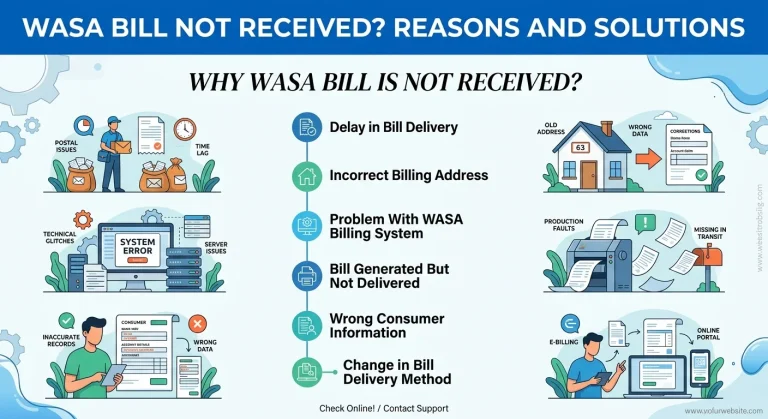
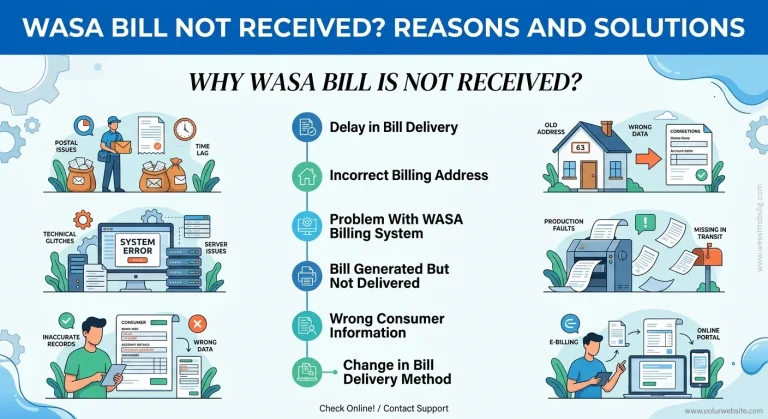
Why WASA Bill Is Not Received?
There can be several reasons why your monthly water bill does not reach your home. Understanding the cause makes it easier to find the right solution.
1. Delay in Bill Delivery
One of the most common reasons for a WASA bill not received issue is a delay in physical delivery. Bills are usually printed and distributed according to a monthly schedule but sometimes delivery can be affected because of holidays, workload, weather conditions or local distribution problems.
In this situation, your bill may already be available in the WASA billing system even though the paper copy has not arrived.
2. Incorrect Billing Address
If your billing address is incomplete or outdated, your bill may not reach the correct location. Customers who move to a new house or change their address often face this issue.
You should verify your billing information with WASA and update your address if required.
3. Problem With WASA Billing System
Sometimes technical issues in the WASA billing system can delay bill generation or online updates. A temporary system problem may prevent customers from seeing their current bill details online.
If your bill is not showing online, wait for some time and check again. If the problem continues, contact WASA customer support.
4. Bill Generated But Not Delivered
In many cases, the WASA water bill is already generated but the printed copy is lost during delivery. This does not remove your payment responsibility.
You can easily get a WASA duplicate bill through online services or from the nearest WASA office.
5. Wrong Consumer Information
Your account information may have errors such as an incorrect consumer name, address or consumer number. Incorrect details can create problems with bill delivery and online verification.
Checking your account details regularly helps prevent future issues.
6. Change in Bill Delivery Method
Some water authorities are moving towards digital billing systems. Customers may receive fewer physical bills and are encouraged to use online portals for bill checking and payments.
What To Do If WASA Bill Is Not Received?
If your WASA bill is not delivered at home, you do not need to wait until the last date. Follow these simple steps:
Check WASA Bill Online
The easiest solution is to use the official online bill checking facility. Most WASA services allow customers to check their bill using their consumer number.
You can check:
- Current bill amount
- Previous bill record
- Due date
- Outstanding bill amount
- Payment status
- Billing details
The online system saves time and helps customers avoid late payment problems.
How to Check WASA Bill Online?
To check your WASA online bill, follow these general steps:
- Visit your city’s official WASA online bill portal.
- Select the bill inquiry or bill checking option.
- Enter your WASA consumer number.
- Submit the information.
- View your current bill details.
Your consumer number is usually printed on an old WASA bill. It works as your account identification number and helps the system find your billing record.
How To Download WASA Bill Copy Online?
If you did not receive your physical bill, you can get a duplicate copy online.
A WASA bill download option allows customers to save or print their bill whenever needed.
A downloaded bill copy usually contains:
Information | Details |
Consumer Number | Your WASA account identification |
Customer Name | Registered account holder |
Current Charges | Latest monthly bill amount |
Previous Balance | Pending amount from earlier bills |
Due Date | Last date for payment |
Billing Period | Month of the generated bill |
Keeping a digital copy also helps when making online payments or submitting a billing complaint.
How To Get Duplicate WASA Bill?
A duplicate WASA bill can be obtained through online services or by visiting the WASA office.
You may need:
- WASA consumer number
- Registered customer information
- Previous bill details if available
After verification, WASA can provide a duplicate copy of your bill.
A duplicate bill is useful when:
- The original bill is lost
- The bill was not delivered
- You need payment proof
- You want to check previous records
WASA Bill Not Showing Online: Reasons and Solutions
Sometimes customers search for their bill online but the bill does not appear. This problem can happen because of several reasons.
Common Reasons
- Incorrect consumer number entered
- New connection not updated in the system
- Temporary website problem
- Bill generation process is not completed
- Technical issue in online portal
Solutions
Try these steps:
- Check your consumer number carefully
- Remove extra spaces while entering details
- Try again after some time
- Check old bills for correct account information
- Contact WASA customer support if the issue continues
How To Check WASA Bill Due Date?
The due date tells you the final date for making your payment without extra charges. Even if your bill is not received, you can check the due date through the WASA online portal.
Checking your due date regularly helps you avoid:
- Late payment charges
- Service problems
- Pending bill accumulation
How To Pay WASA Bill Online?
Many customers prefer WASA bill payment online because it is fast and convenient.
Depending on your location, payment options may include:
- Bank apps
- Mobile payment services
- Internet banking
- Official WASA payment portals
- Authorized payment centers
Before making payment, always verify:
- Consumer number
- Bill amount
- Payment status
After successful payment, keep the transaction receipt for future reference.
How To Solve WASA Bill Delivery Problems?
If your WASA bill is missing regularly, you should report the issue instead of waiting every month.
You can take these actions:
Contact WASA Customer Support
Explain your problem and provide your consumer number. The support team can check your billing record and guide you about the next step.
Submit a Billing Complaint
If there is a repeated delivery issue, incorrect billing information or wrong charges, submit a formal billing complaint.
Common complaints include:
- Bill not received
- Incorrect bill amount
- Wrong consumer details
- Duplicate charges
- Payment not updated
Update Your Billing Information
Make sure your:
- Name
- Address
- Contact details
are correct in WASA records.
Common WASA Bill Problems and Their Solutions
Many people only check their water bill when they receive a paper copy. However, regular online checking has several benefits.
It helps you:
- Know your monthly water charges
- Track previous bill records
- Avoid missed payments
- Find billing mistakes early
- Keep payment history organized
Online bill verification is especially helpful for customers who frequently travel or do not receive paper bills on time.
Importance of Checking WASA Bill Regularly
Problem | Possible Reason | Solution |
Bill not received | Delivery delay | Check bill online |
Bill missing | Lost paper copy | Download duplicate bill |
Bill not showing online | System issue | Verify consumer number |
Wrong amount | Billing mistake | Request bill correction |
Payment not updated | Processing delay | Check payment status |
Incorrect details | Old information | Update account record |
FAQs
Your WASA bill may not be received because of delivery delays, incorrect address information, technical problems or changes in the billing system. You can check your bill online using your consumer number.
You can check your WASA bill online through the official WASA portal by entering your consumer number. The system can show your current bill, due date and payment details.
You can download a duplicate WASA bill from the online bill portal or request one from the WASA office by providing your consumer number and account details.
First, confirm that you entered the correct consumer number. If the problem continues, wait and try again later or contact WASA customer support.
Yes, you can usually make online payment after checking your bill details through WASA online services using your consumer number.